
Registering your Business in Senangurus
Registering a new business
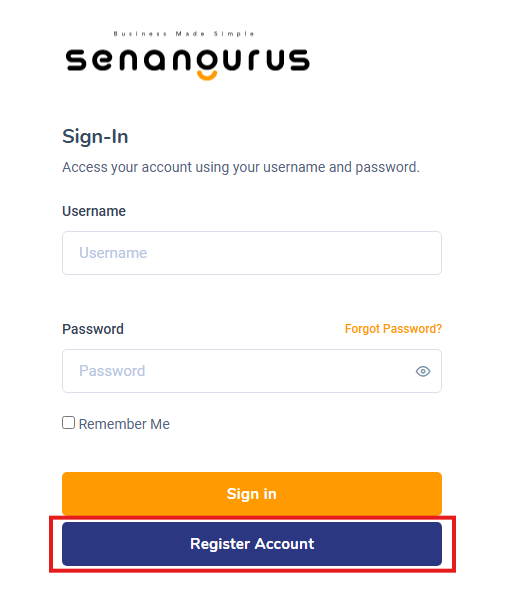
Follow the steps below to register a new business in the system:
Step 1: Click on the “Register Business” Button
-
On the
WelcomeSign-in Page, click the Register Account button to begin the registration process.
Step 2: FillChoose inyour Businesspreferred Detailspricing plans
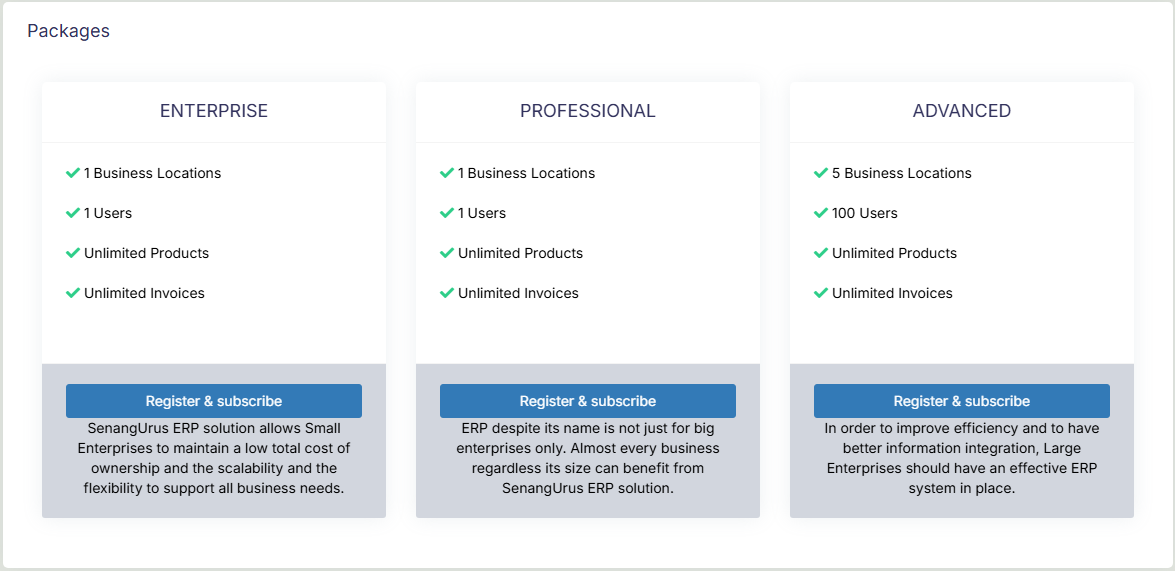
-
EnterTherethearerelevantthreeinformationtosuchchooseasfrom (Business NameEnterprise,StartProfessionalDate, etc. Select the appropriate&CurrencyandTime Zone.ClickNextto proceed.
Note: Currency and Time Zone can be different for each registered business.
Step 3: Enter Tax Details
Provide theTax NameandTax Number(e.g.,GST,VATAdvanced).with - varying
Tax fields are not mandatory and vary based on country regulations. ClickNextafter filling out the tax information.prices.
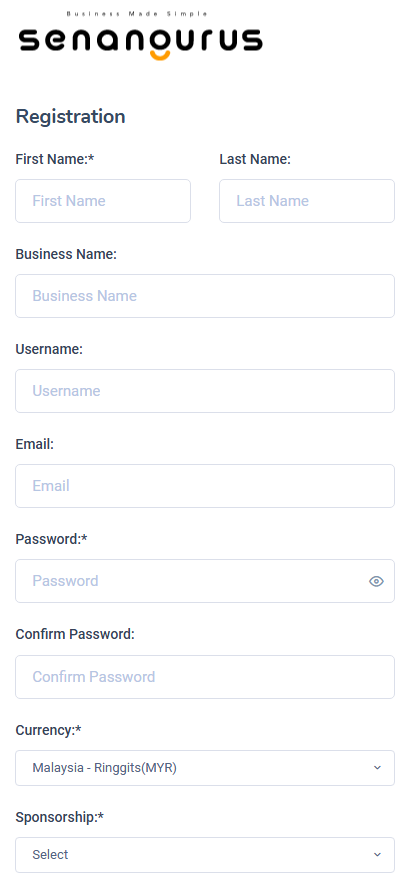
Step 4:3: AddEnter Owner details & Business User Details
-
Fill
inout therequiredrelevant fields:UserFull Name,EmailBusiness Name,UsernameCurrency type, and enter your Username & Password.
NOTE: These credentials will be used to log in, so make sure to remember them.
- The
userowner created during thisstepregistration will bethesuperAdminadmin of the business. More super admin can be added from user management section.
NOTEUsername: and AdditionalPassword adminswill be used for sign-in, make sure you remember them.
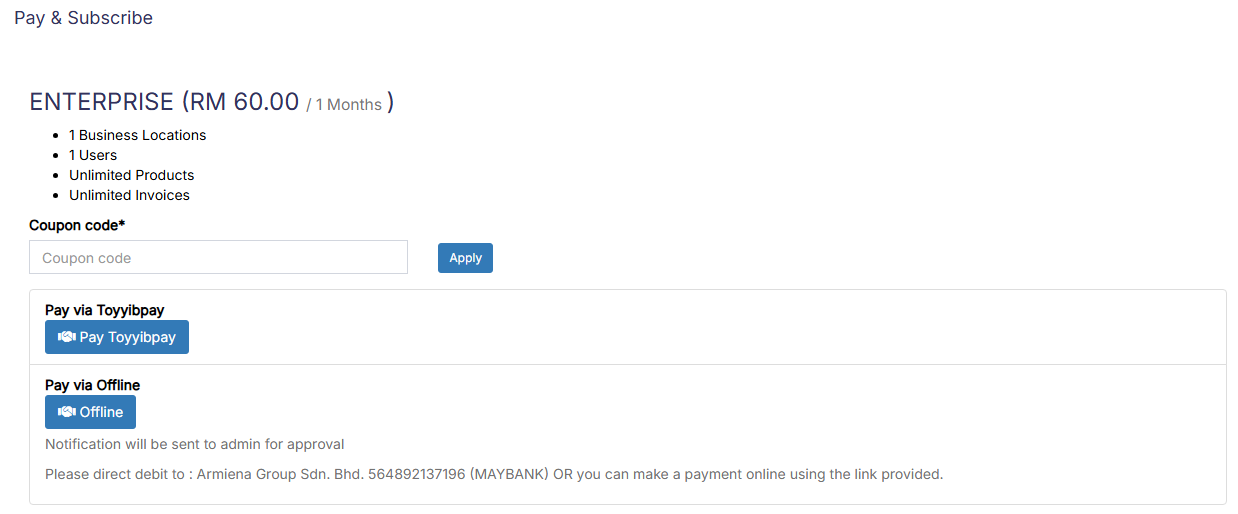
Step 4: Choosing payment
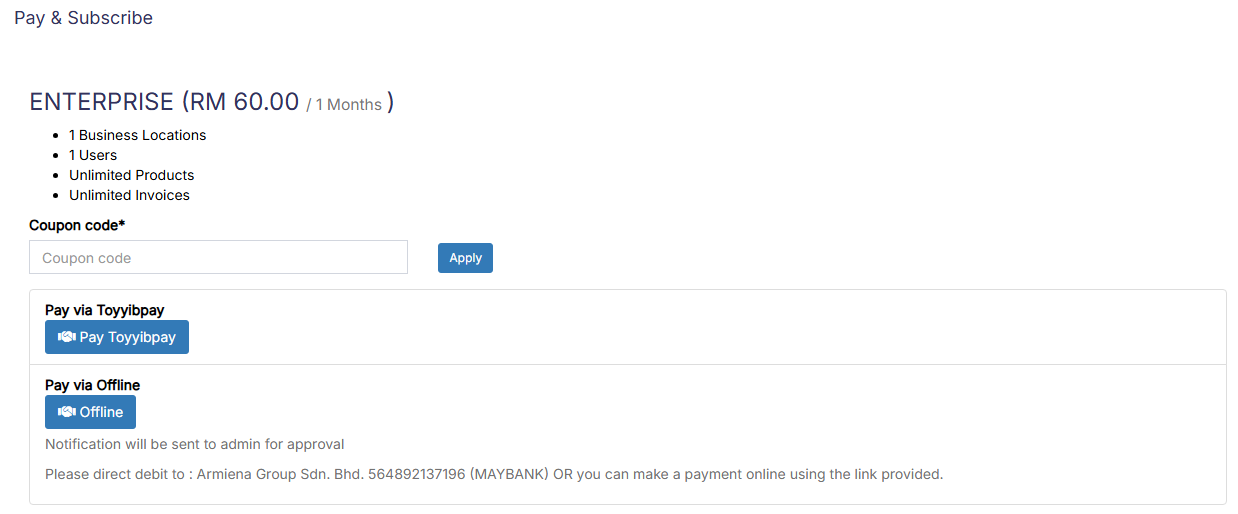
- Payment can be
added,doneedited,either through online ordeletedoffline.
Step 5: Complete Registration
-
Click the Register button.
-
After successful registration, you will be redirected to the Login Screen.
Use theUsernameandPasswordcreated in Step 4 to log in.
Note:
All registered details—details (Business Information, Tax Info, and User DetailsDetails) —can be updated anytime from the Business Settings section.
Removing/Disabling register link:
UltimatePOS allows you to add multiple businesses. But many times you don’t want to allow external visitors to register there business. So you can disable registration by following these steps.