Warehouse
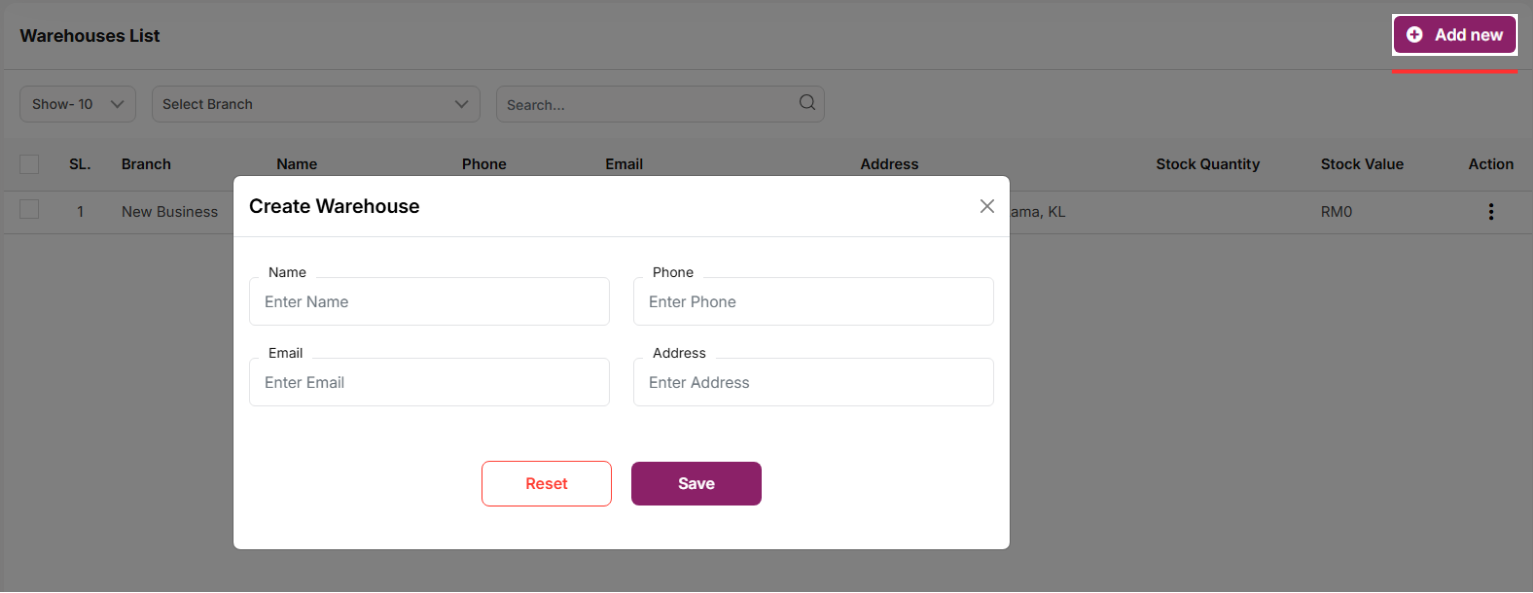
In this module, users can view a list of warehouses, along with their stock values and quantities across all locations.
Use the search bar to find a specific warehouse by name, phone, email, or address. Per-page filtering is also available. Click the "Add New" button to open a modal where you can enter the required information to create a new warehouse. All mandatory fields must be completed. Click the three dots under the "Action" column to edit, delete, or view details of a warehouse.
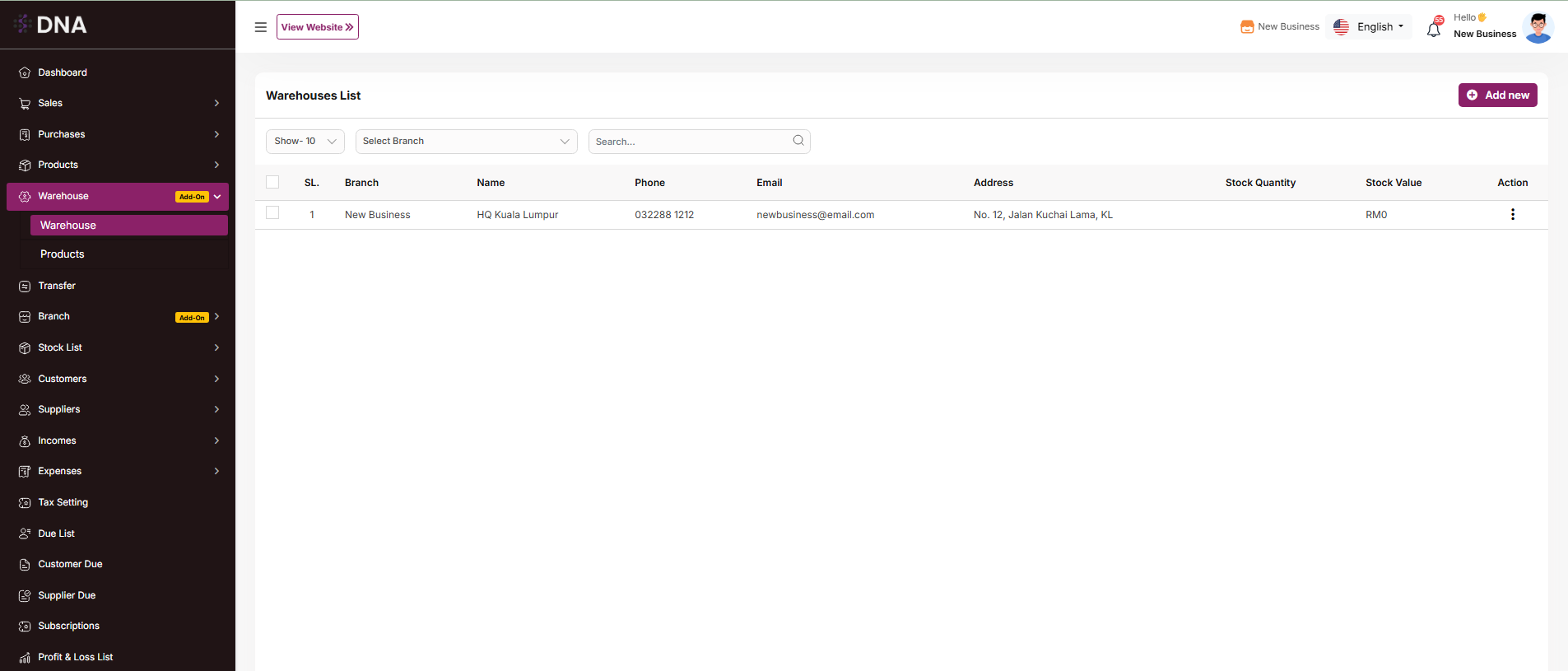
Add New
After clicking "Add New" a form will appear. Fill in the required fields and click the "Save" button. The new warehouse will be successfully added, and you will be redirected to the warehouse list.