# Variations
1. Variations can be added from the **Variations** menu.
2. These variations are used in variable products product.
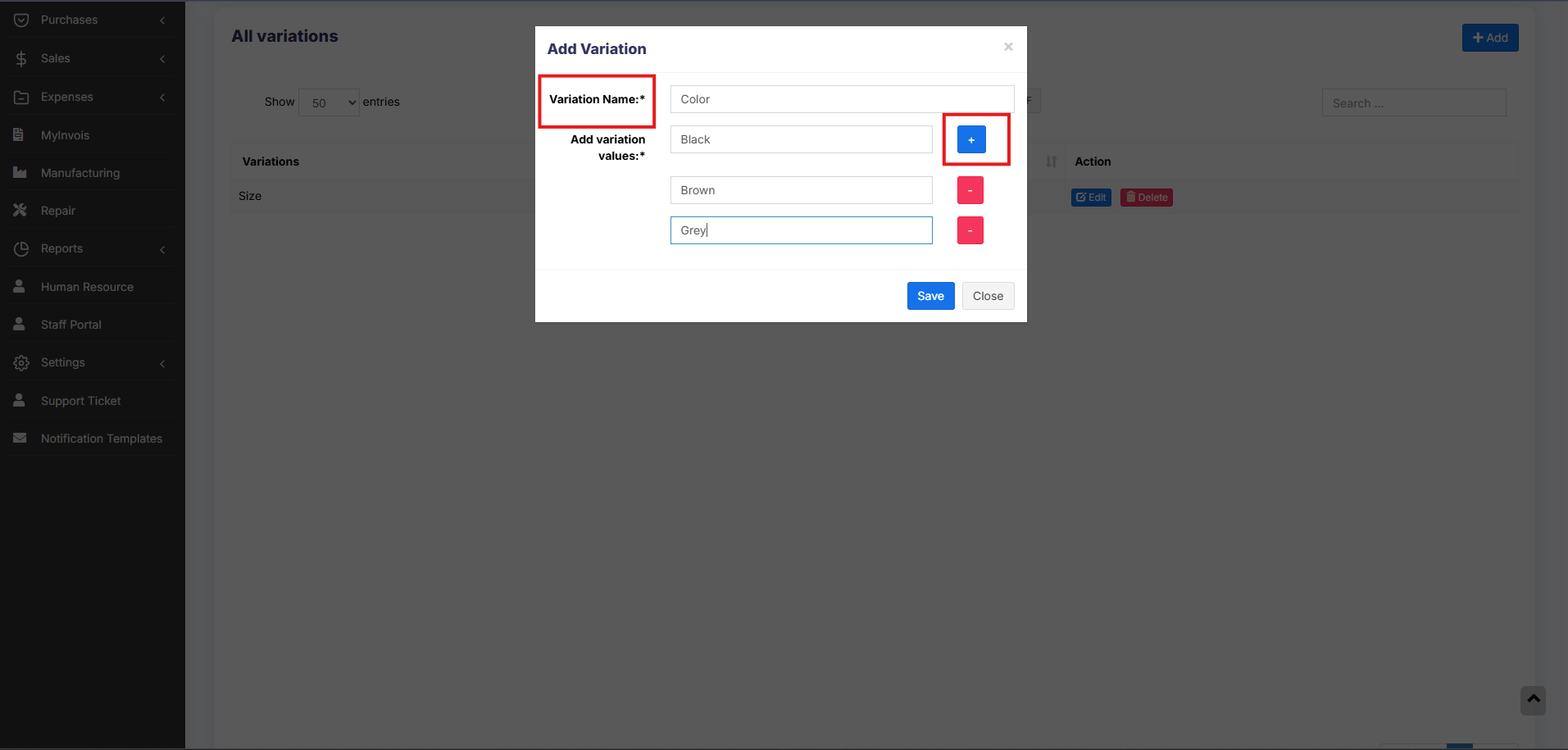
Example of variation is, for example, Jeans can have multiple colors, so add variations called Colors and provide the value for it. As given in the image below.
[](https://docs.senangurus.com/uploads/images/gallery/2025-10/IHwimage.png)
**NOTE**: Delete variation option will not be shown for variations that are already used in some products
### Adding Multiple Variations for Products
If a product has more than one variation, for example, A shirt with size ‘M’ and brand ‘POLO’ or A book with pages 30 and size long.
Add the variation name and type as a combined variation.
Eg: variation name : Size – Pages
variation values – Long -30, Long -120, Long – 200, Small -30, Small – 120 etc.