# Types of Service
1. Types of service is mostly used in restaurants, it is for example Dine-in, Parcel, Courier, 3rd Party Delivery etc.
2. Based on type of service you can change the price of the product by linking types of services to [selling price group](https://docs.senangurus.com/books/senangurus-business/page/selling-price-groups-sell-in-different-prices-wholesaleretail-or-for-different-prices-for-different-locations).
3. You can add packing charges (fixed or percentage)
4. Also, you can add more information like in custom fields.
# Enabling Types of Service
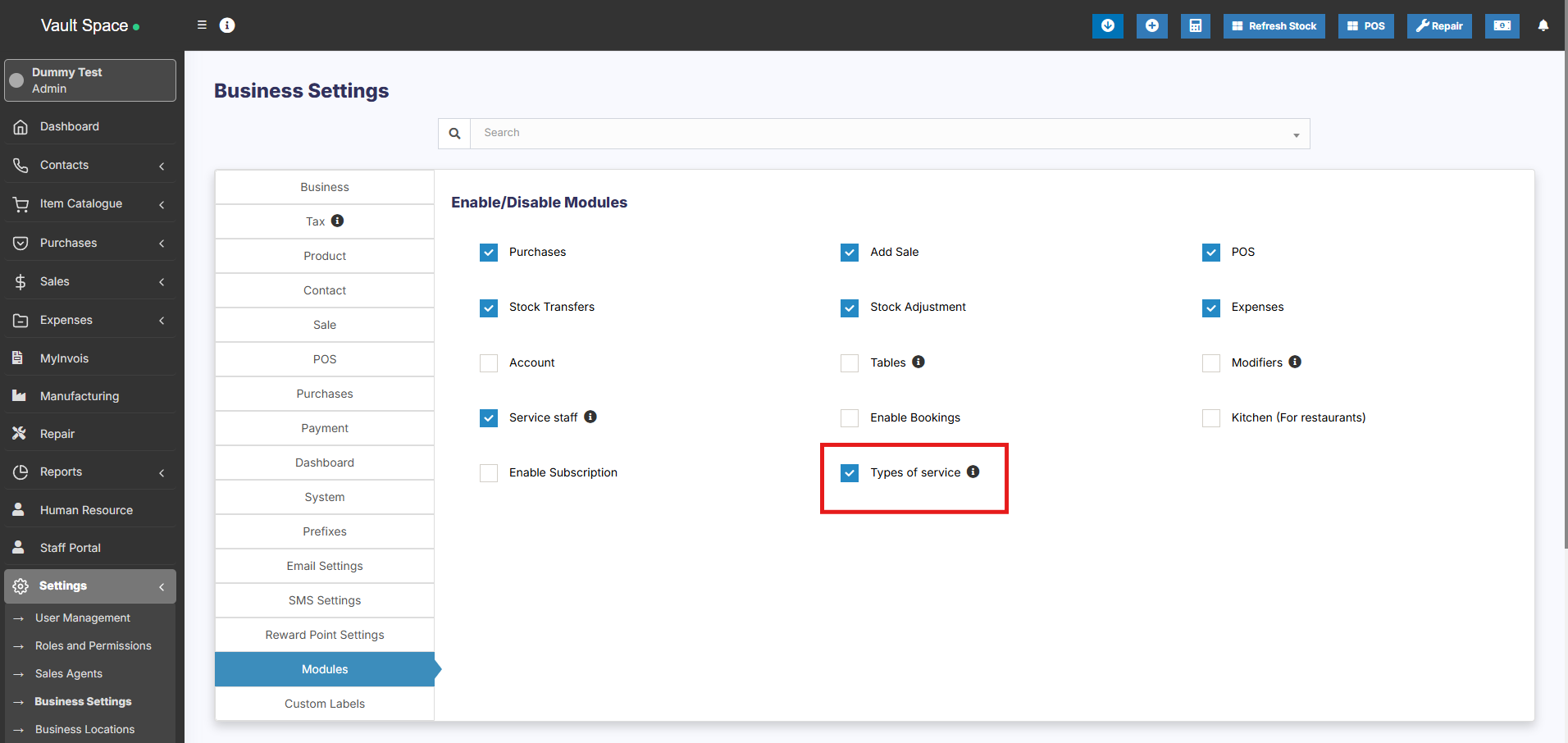
Go to **Settings -> Business Settings -> Modules -> Check the “Types of Service”**
and save it.
[](https://docs.senangurus.com/uploads/images/gallery/2025-10/hIiimage.png)
# Adding new Types of Service
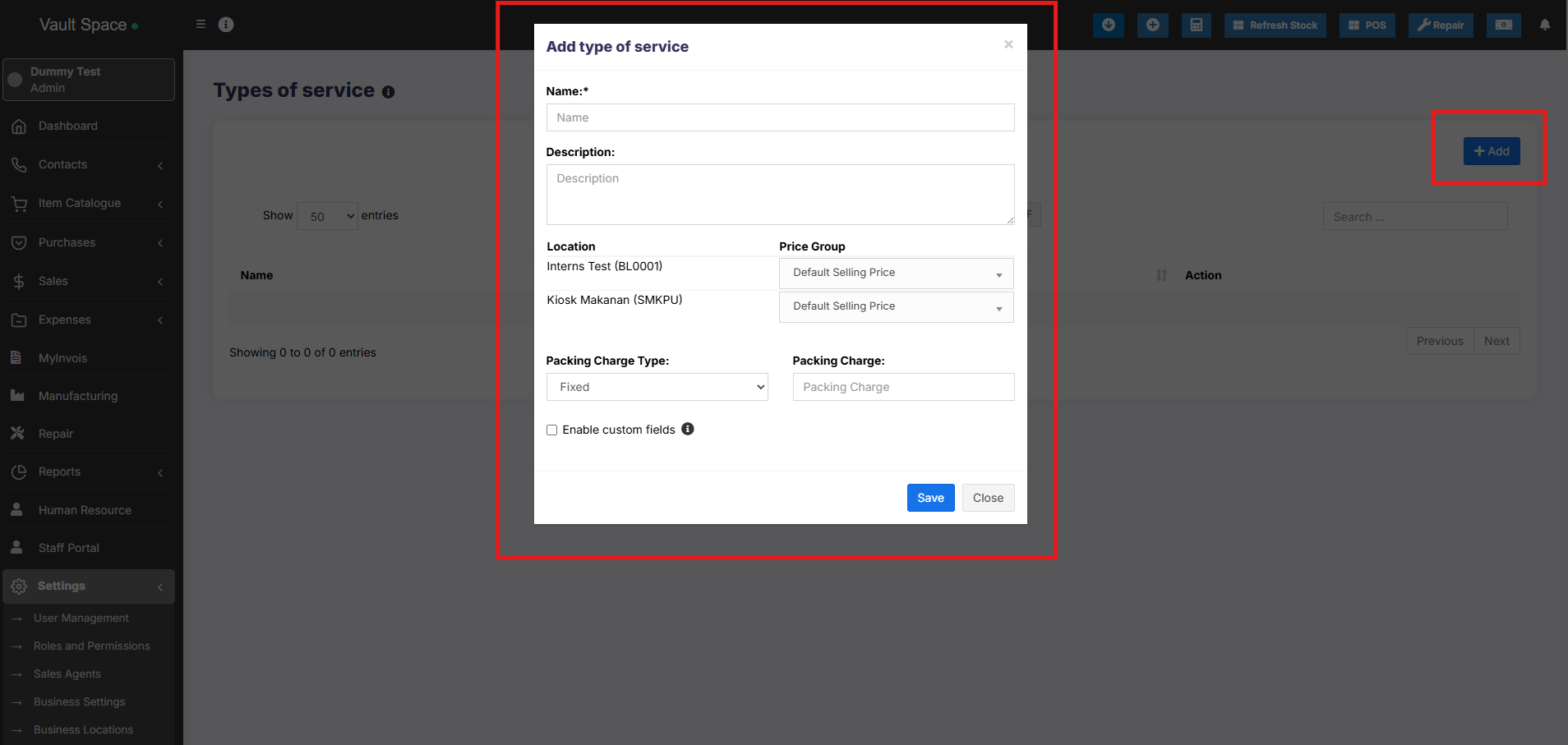
1. To add, go to Settings -> Types of service -> Add
2. Add a name, description
3. For each location select the Price Group that will be applicable. Select **Default Selling price** for selling in default price of the product.
4. Enter packing charge, leave empty if not applicable.
5. Enable custom field: this will enable some custom fields in type of service in POS screen.
[](https://docs.senangurus.com/uploads/images/gallery/2025-10/rAAimage.png)
# Using Type of Service in POS/sales screen:
1. On Enabling Types of service in POS screen you will see the option to select Type of service.
2. Before adding a sales select the type of service and enter the relevant details.
3. You can show the type of service information in receipt by enabling it from [Invoice Layout](https://docs.senangurus.com/books/senangurus-business/page/invoice-layout)