# Opening Stock
### To add opening stock:
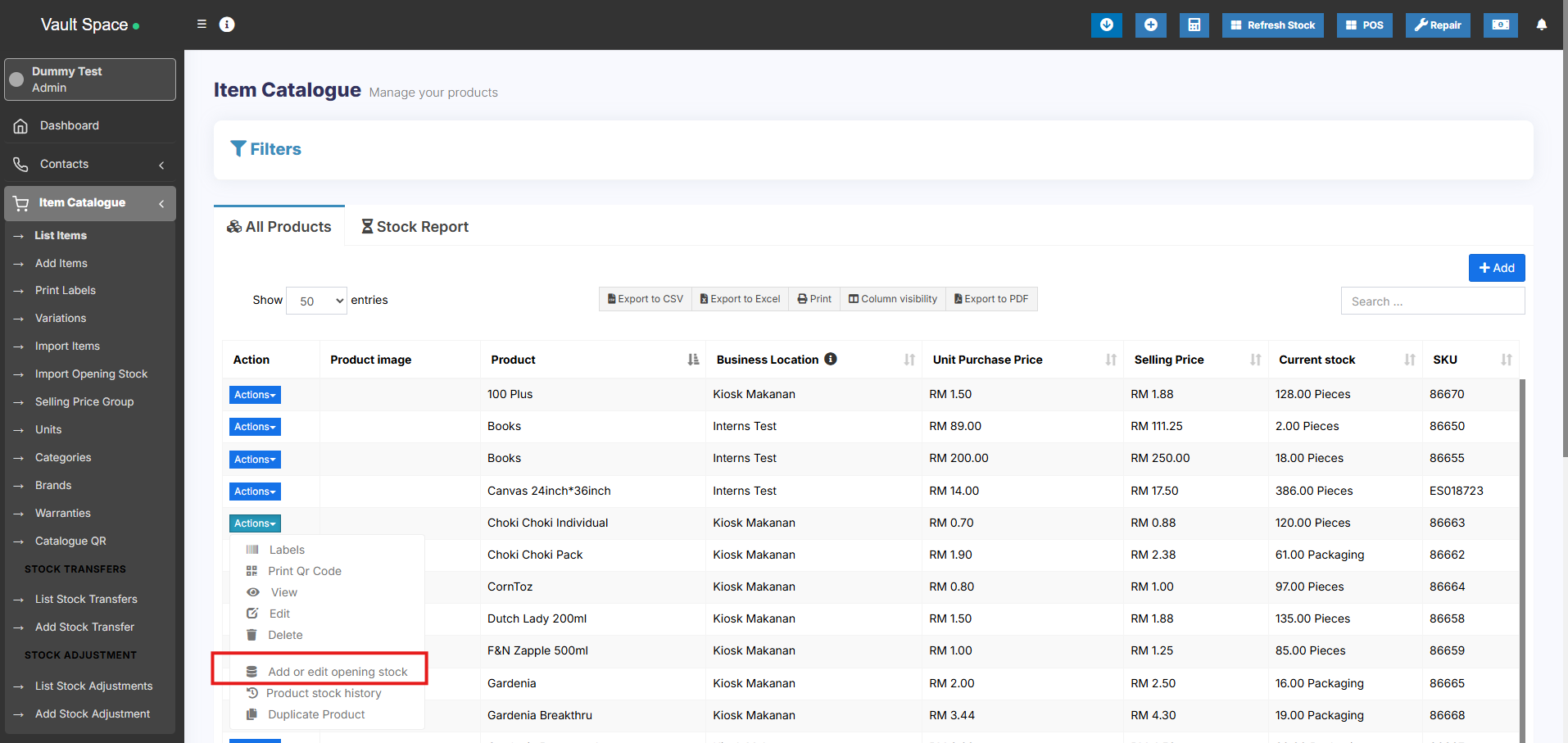
1. Go to List Products
2. Actions > Add or Edit Opening Stock
[](https://docs.senangurus.com/uploads/images/gallery/2025-10/IPRimage.png)
### Editing opening stock (or) Making opening stock 0:
NOTE: If you have already added an opening stock and have to edit it, follow the steps below.
1. Click the ‘+’ symbol.
2. A new row will be created
3. Add the new amount there
To make the opening stock to ‘0’, add a negative value in step 3
E.g.) If the existing opening stock is 10, add -10 to make the stock quantity to 0 or if you add a negative amount (-4) then the amount will be 6.