# Duplicate Product
Duplicate Products helps you to easily create a new product with the same data as another product, this helps you save repetitive entering of data and ultimately saves time by making the product entry process faster.
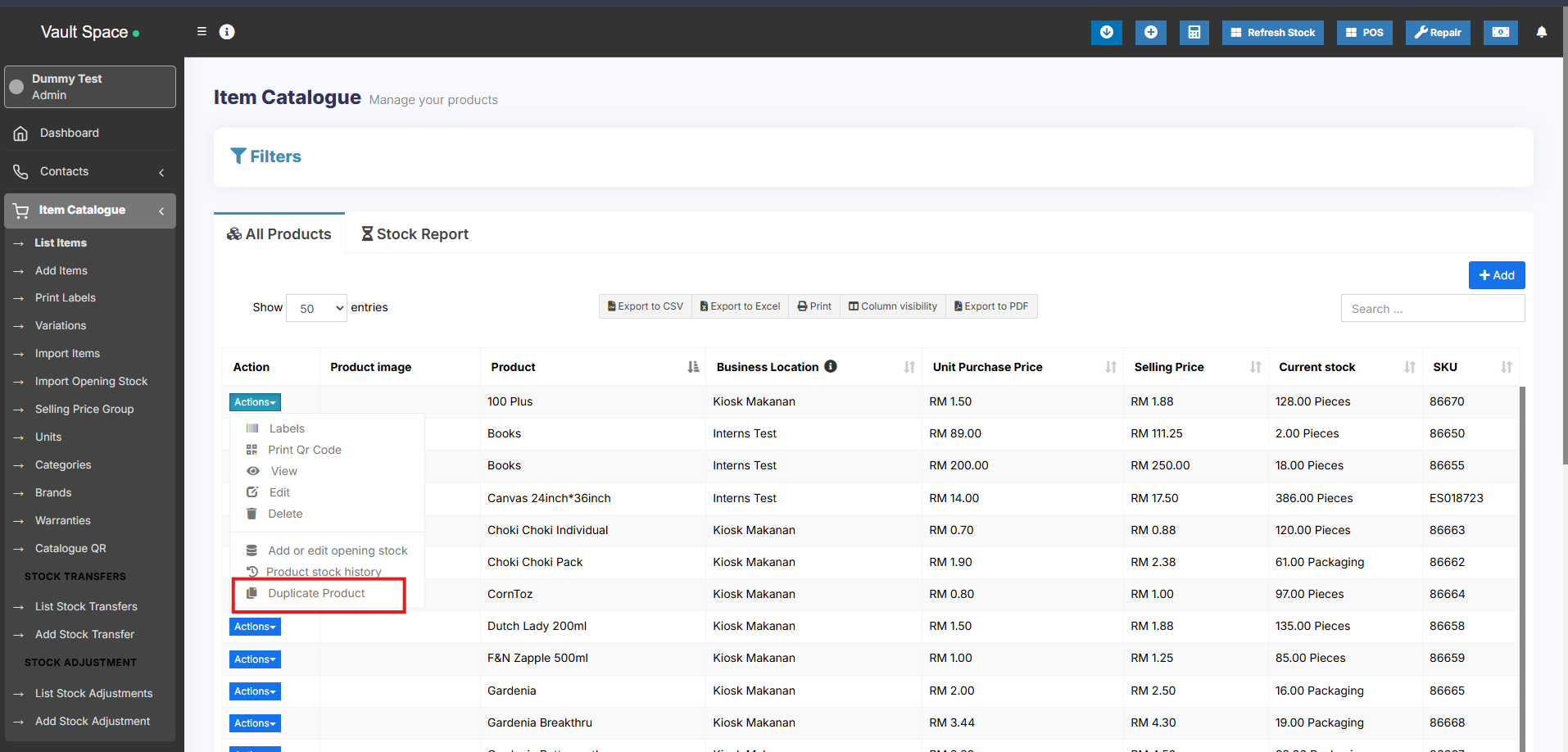
### Steps to Add a Duplicate Product
1. Go to **Products → List Products**
2. Click on the **Actions** dropdown button next to the product you want to duplicate
3. Select the **Duplicate Product** option
4. A **duplicate product** will be created with the same details, which you can then modify as needed
[](https://docs.senangurus.com/uploads/images/gallery/2025-10/FGAimage.png)