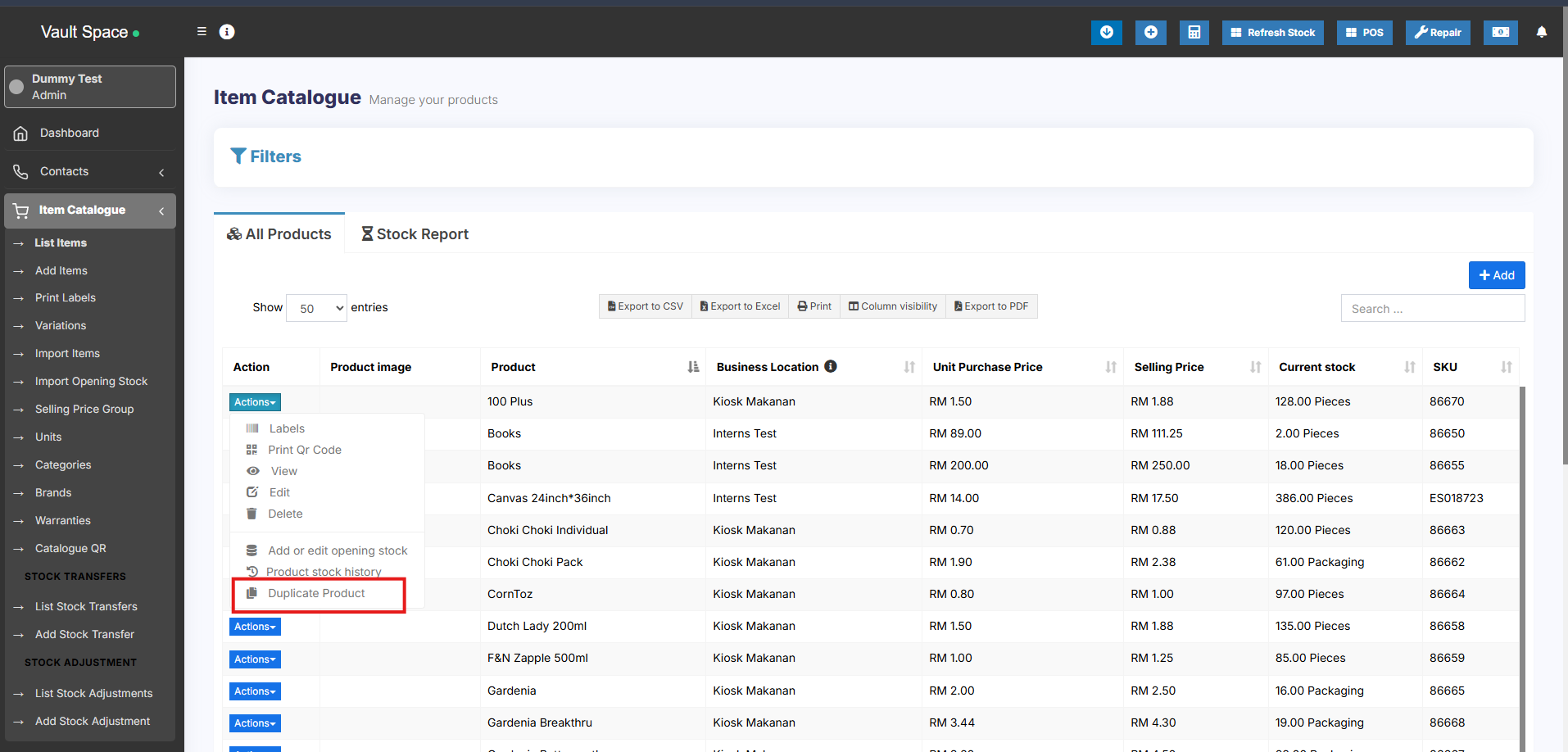
Duplicate Product
Duplicate Products helps you to easily create a new product with the same data as another product, this helps you save repetitive entering of data and ultimately saves time by making the product entry process faster.
Steps to Add a Duplicate Product
-
Go to Products → List Products
-
Click on the Actions dropdown button next to the product you want to duplicate
-
Select the Duplicate Product option
-
A duplicate product will be created with the same details, which you can then modify as needed