# Custom Labels for Products
### Custom Labels for Products:
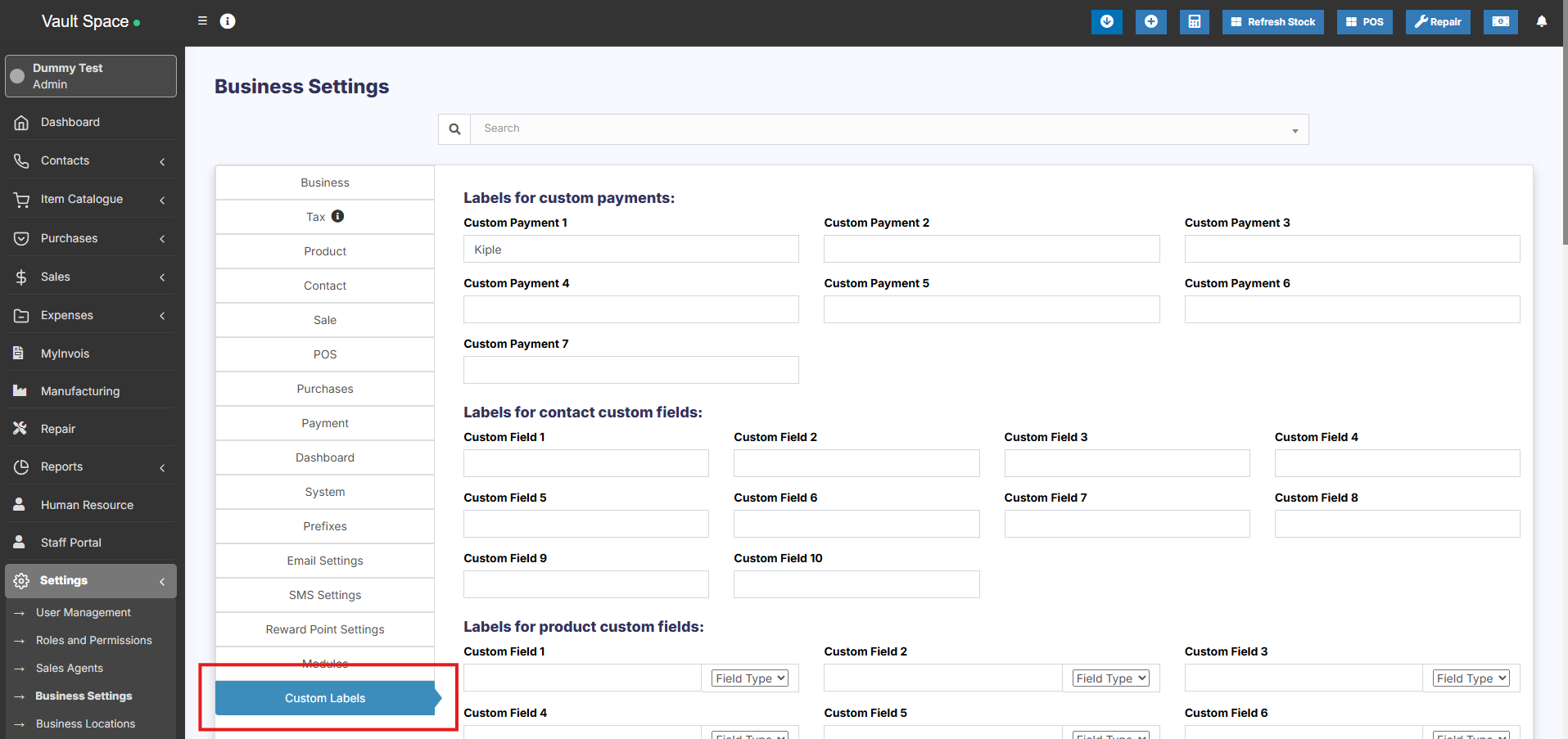
20 custom fields can be added for the product, these custom fields can be used while adding a new product.
Custom fields can be anything related to the product like brand code, product code etc.
To add this **Go to Settings > Business Settings > Custom labels**
Provide the custom label name here.
[](https://docs.senangurus.com/uploads/images/gallery/2025-10/zHHimage.png)
### Field Type for labels:
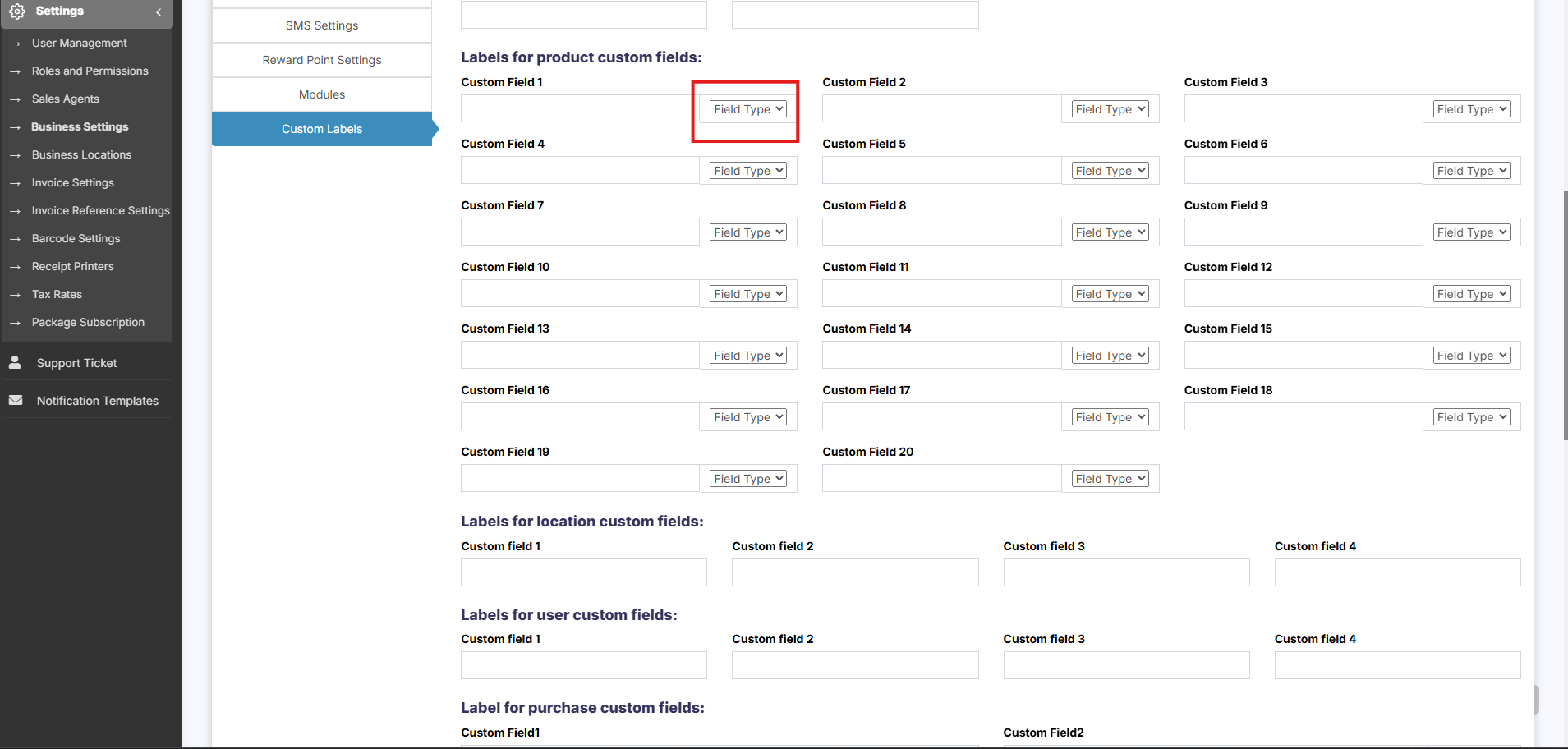
The data type can be specified for each custom field. Select text, date picker or dropdown types.
For dropdown add a line break after each option.
[](https://docs.senangurus.com/uploads/images/gallery/2025-10/1BBimage.png)