Business Settings
Business Settings allows you to set some of the common business-related information.
Here you can change:
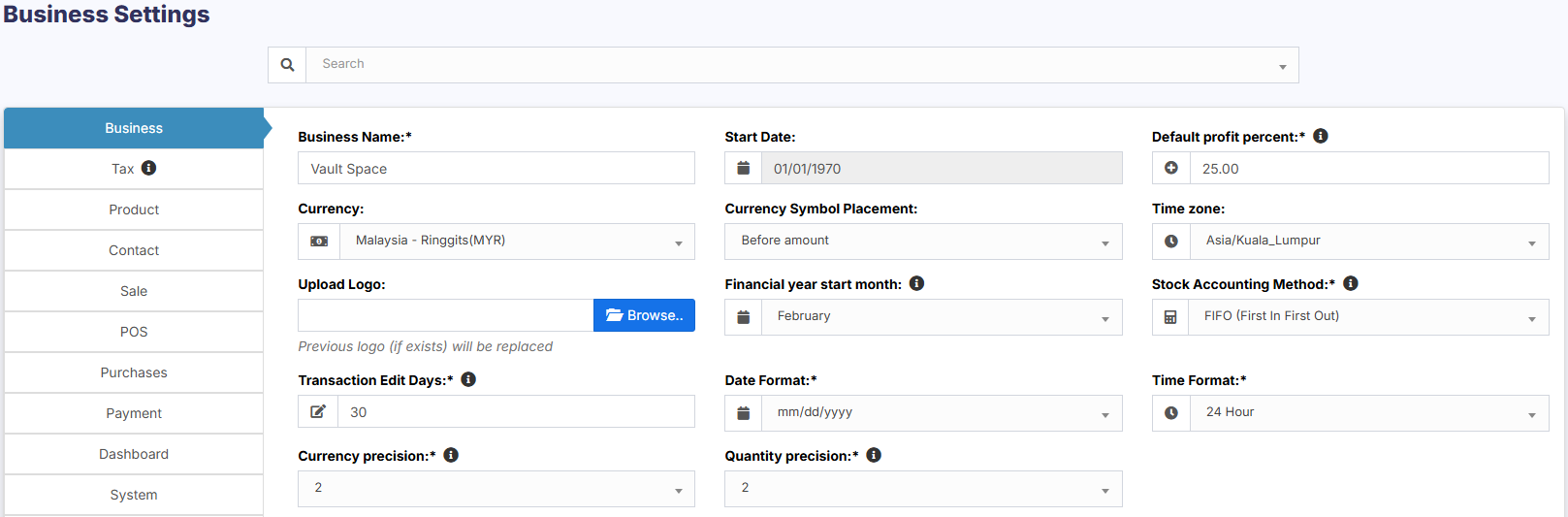
- Business name
- Start Date
- Set Default Profit margin
- Currency
- Timezone
- Logo
- Financial year: For some countries, the financial year starts from January and for some it stars on April. Here you can set the appropriate option for your country.
- Tax information
- Product SKU prefix: Enable this feature to generate a prefix for Product SKU. Once enabled, while adding a new product the SKU field with add this prefix along with the input given or if left empty will autogenerate a value along with this prefix.
- Default Sales discount
- Default Sales tax
- Business Setting > Contact > Default credit limit: The credit limit provided here will be used as default value when creating a customer or supplier
- Business Setting > Sale > Default Sale Discount: The default discount will be used for all sales in POS & Add sales screen.
Sales:
Sales Item Addition Method:
- It has 2 options: “Add item in new row” & “Increase item quantity if it already exists”
- This option is related to POS & Sales screen when a new product is added.
- Add item in new row: It will always add a product in new row
- Increase item quantity if it already exists: If the product already exists in the cart it will increase its quantity else it will add it in a new row.

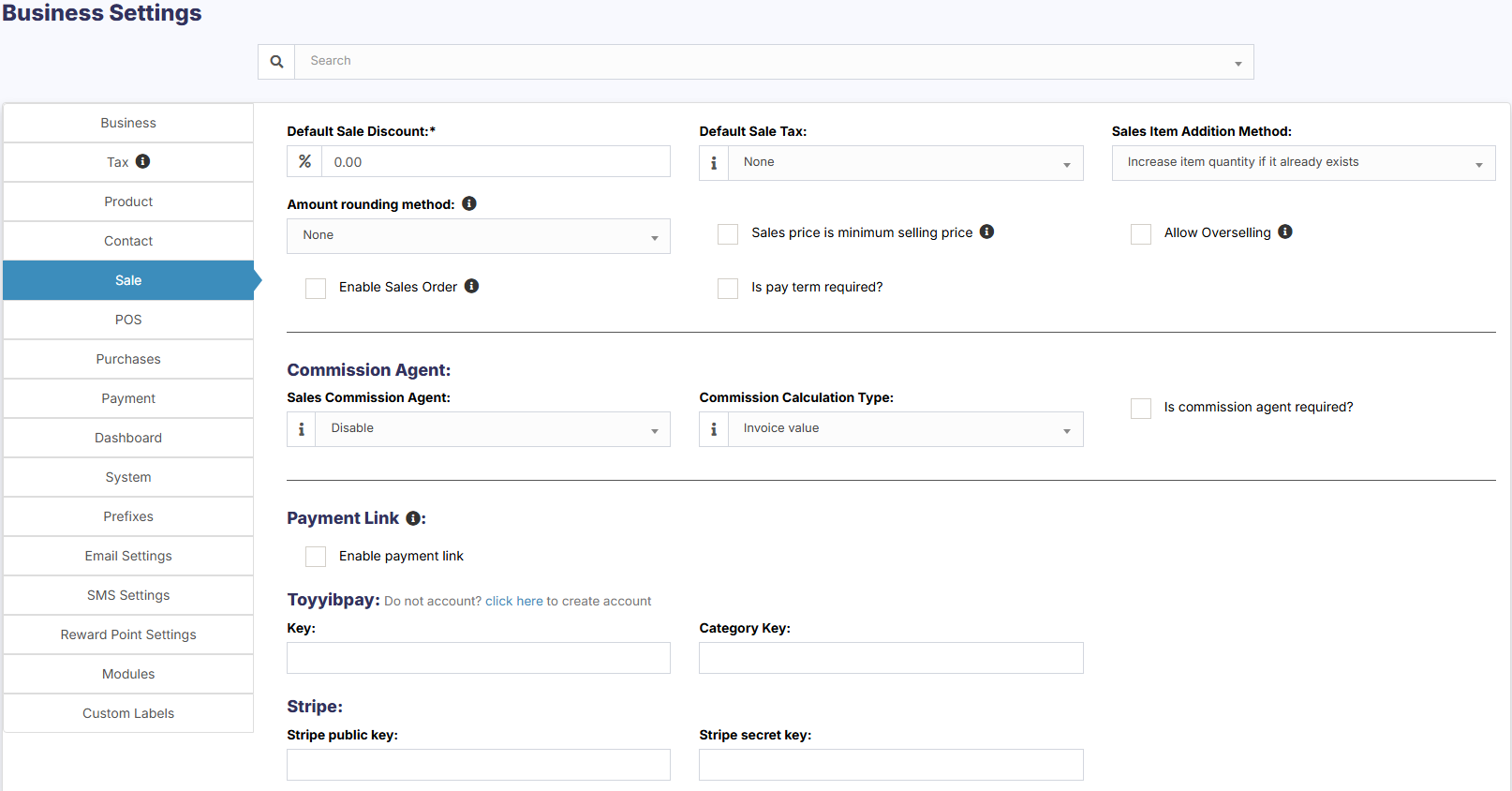
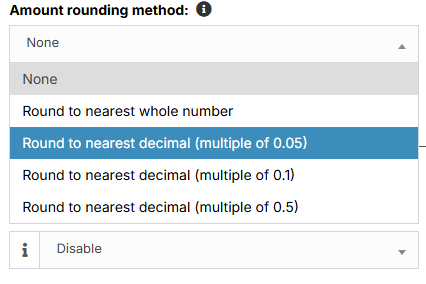
Amount rounding method:
The price of the products can be taken as a whole number or as a rounded decimal value by selecting the particular roundoff method. If none is selected the value is taken as a whole number.
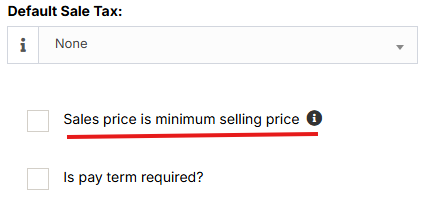
Sales price is minimum selling price:
If this option is enabled then the product cannot be sold at a price lower than the selling price set for the product.
It can be sold at a higher price but not at a lower price.
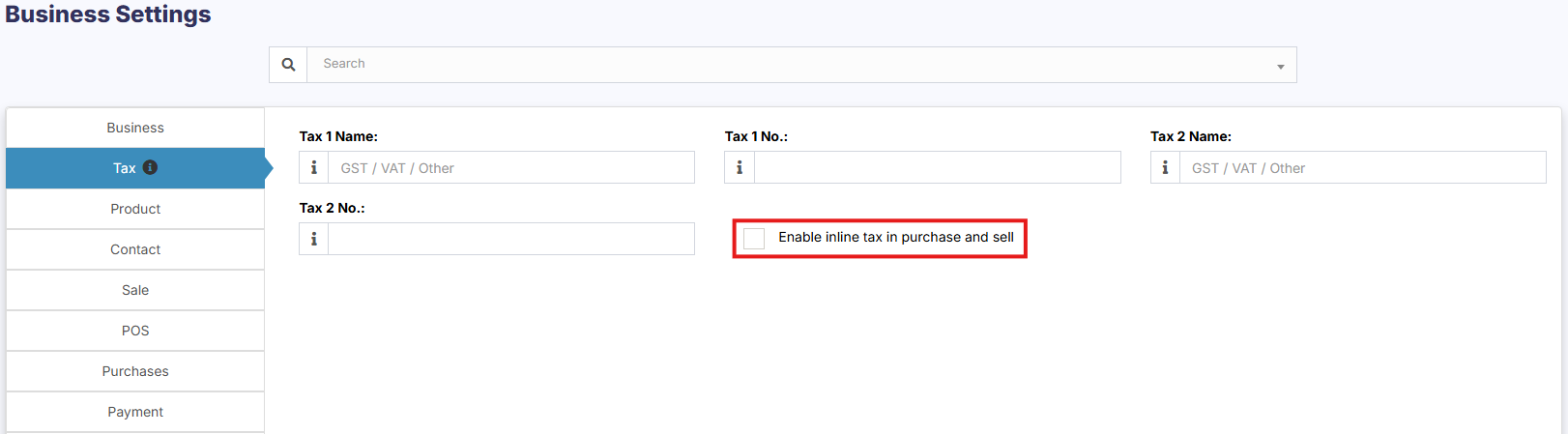
Enable inline Tax:
To display the price inc. tax on the POS screen, kindly enable the check box in the Business Settings->Tax.
Enable Sales Order:
This will enable the sales order feature.

Default Sale Discount:
The default sale discount can be added to products in Business Settings -> Sale

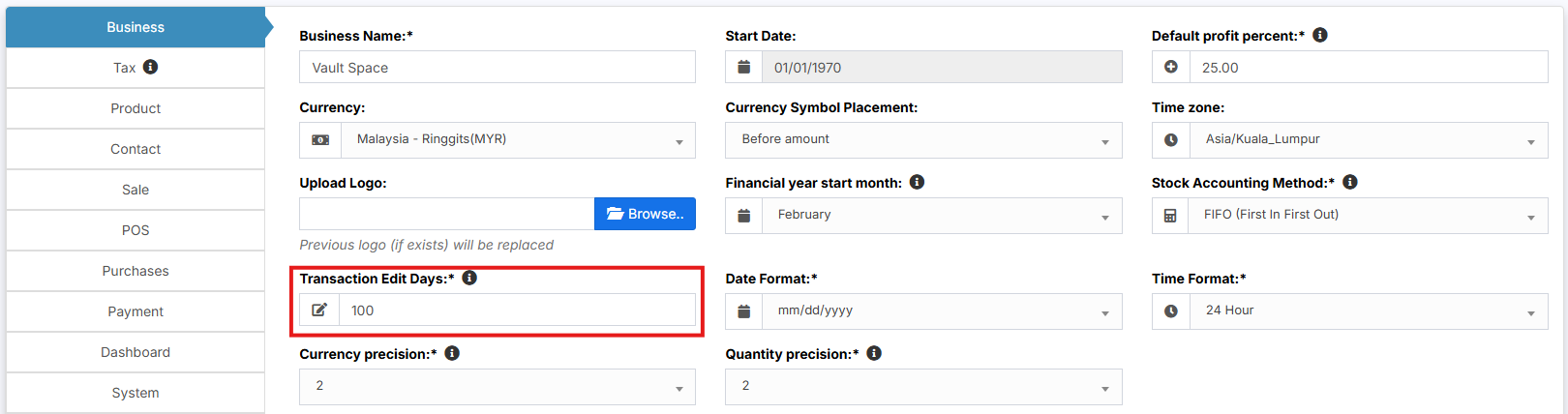
Limit for Transaction Edit:
How to edit transactions for more than 30 days?
In order to increase the limit for editing the transaction, set the number of days in the business settings.
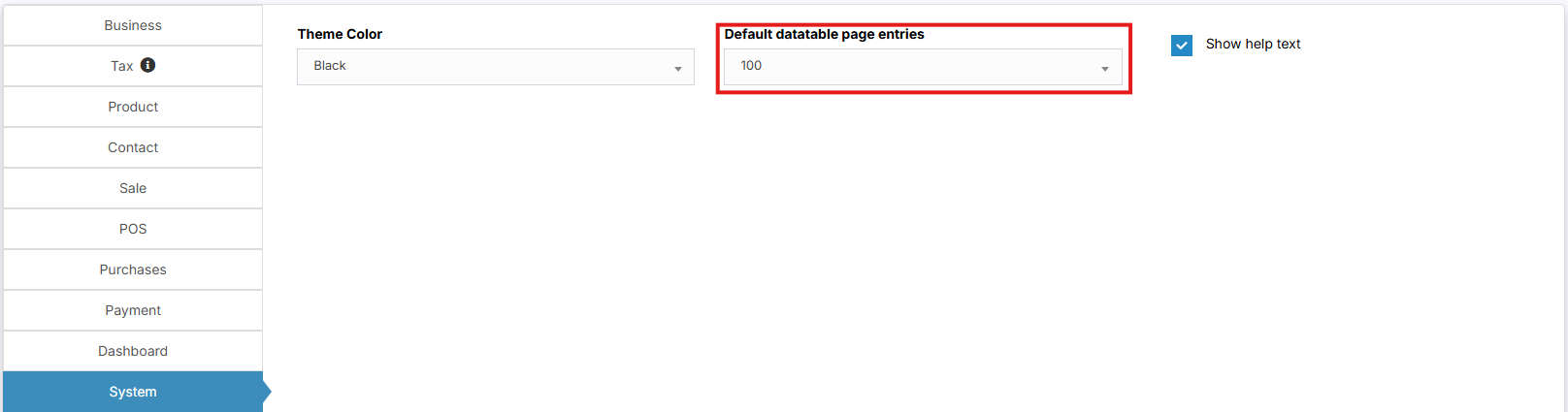
Data table Entry Selection:
The default number of entries in the data tables can be selected in Business Settings -> System.
Allow Overselling of Products:
In some cases, the products need to be sold even when they are out of stock. In such cases, you can enable the “Allow Overselling” Option from the Business Settings > Sale.

This will allow you to add sales for non-stock products.
If the sale is added for products that are out-of-stock using the Allow Overselling Option, then the profit will be calculated as negative for those products.