Business Management
- Registering your Business in Senangurus
- Setting Business Multiple Locations or WareHouse or Storefronts
Registering your Business in Senangurus
Registering a new business
Follow the steps below to register a new business in the system:
Step 1: Click on the “Register Business” Button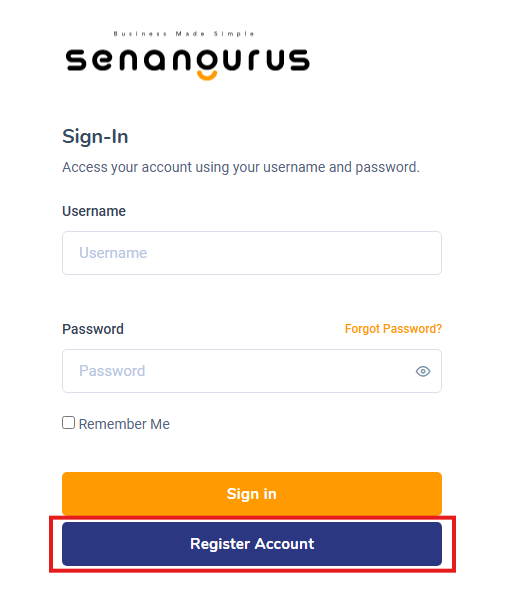
-
On the Sign-in Page, click the Register Account button to begin the registration process.
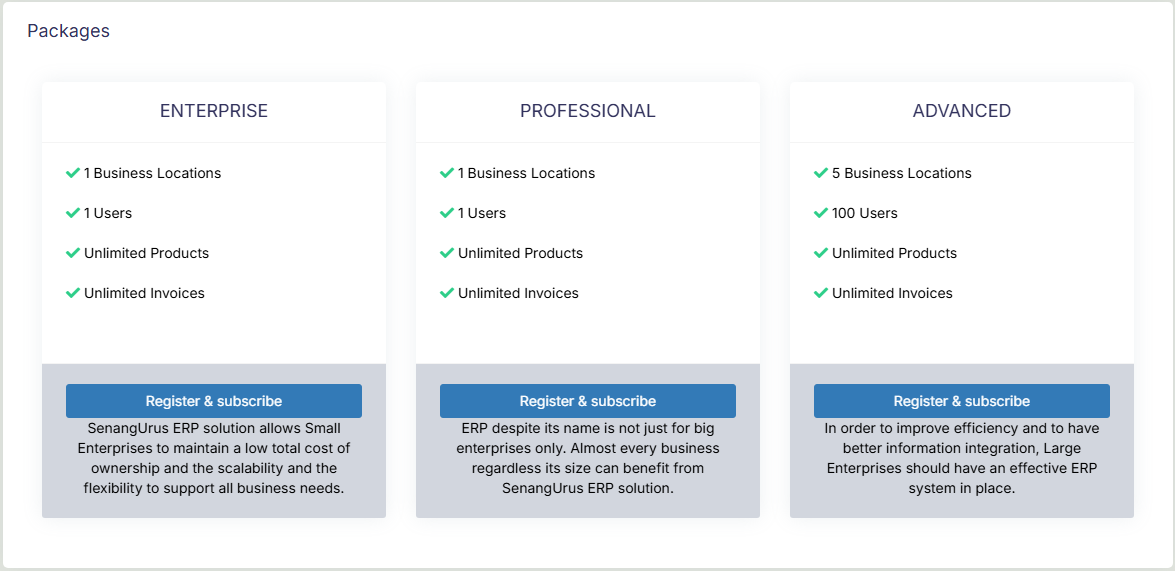
Step 2: Choose your preferred pricing plans
-
There are three to choose from (Enterprise, Professional & Advanced) with varying prices.
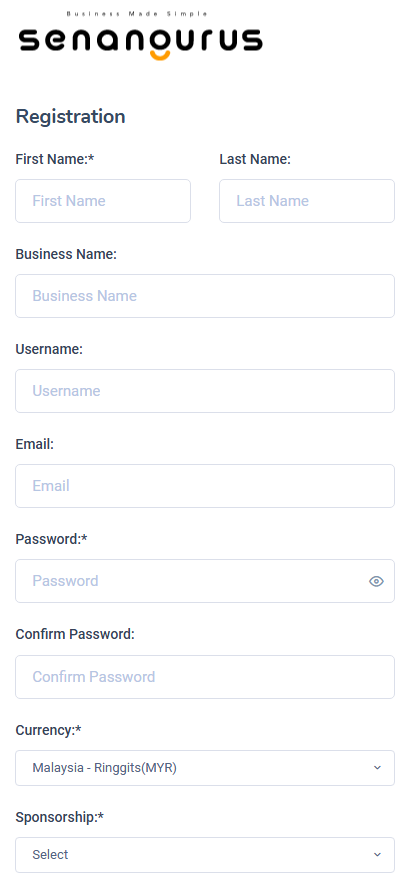
Step 3: Enter Owner details & Business Details
-
Fill out the relevant fields: Full Name, Business Name, Currency type, and enter your Username & Password.
- The owner created during this registration will be super admin of the business. More super admin can be added from user management section.
Username and Password will be used for sign-in, make sure you remember them.
Step 4: Choosing payment
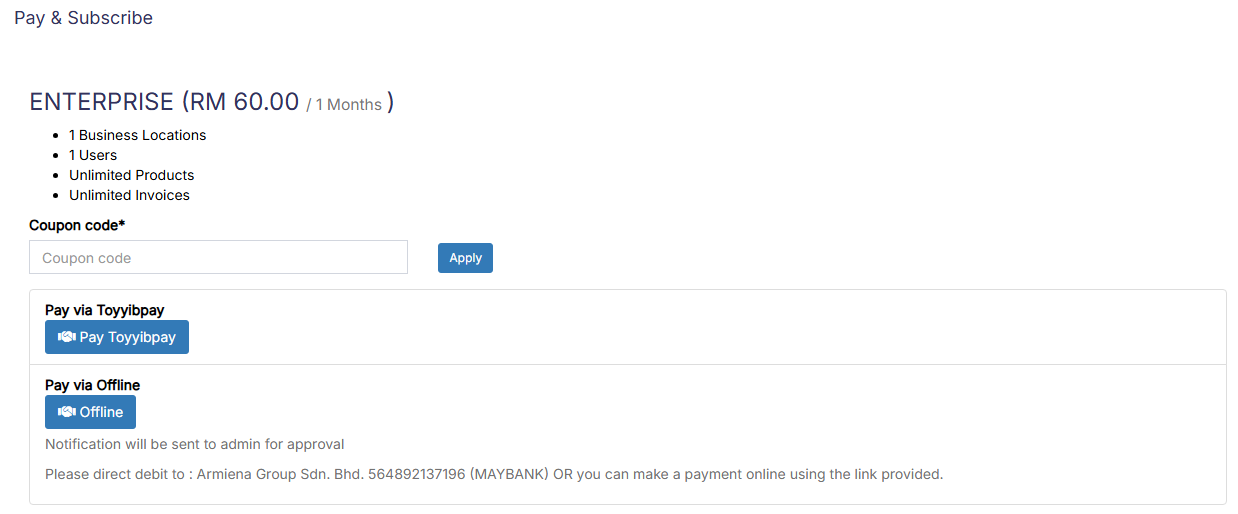
- Payment can be done either through online or offline.
Step 5: Complete Registration
-
Click the Register button.
-
After successful registration, you will be redirected to the Login Screen.
All registered details (Business Information, Tax Info, and User Details) can be updated anytime from the Business Settings section.
Setting Business Multiple Locations or WareHouse or Storefronts
SenangUrus ERP comes with the option to handle multiple business locations or warehouse or Storefronts for your business.
A default location is added to the newly created business.
Invoice Scheme: Before creating a new location or storefront, you can define a new Invoice scheme or you can use existing invoice schemes. But having different invoice schemes for locations can help you to identify them.
Invoice Scheme is invoice number format. (Read More)
Invoice Layout: If you wish to have a different invoice layout for the location then you should create an invoice layout before creating a new location. (Read More)
Default Selling Price Group: Select the selling price group that will be used in this location. (Read More)
Payment Options: Enable/disable payment methods and set default payment methods to different payment account.
You can always change invoice scheme & Invoice Layout for a Business location anytime.
- To create a new Business Location / Storefront or warehouse go to “settings -> Business Locations -> Add”

- Fill the business details.

- Choose an Invoice scheme & Invoice Layout for the location.

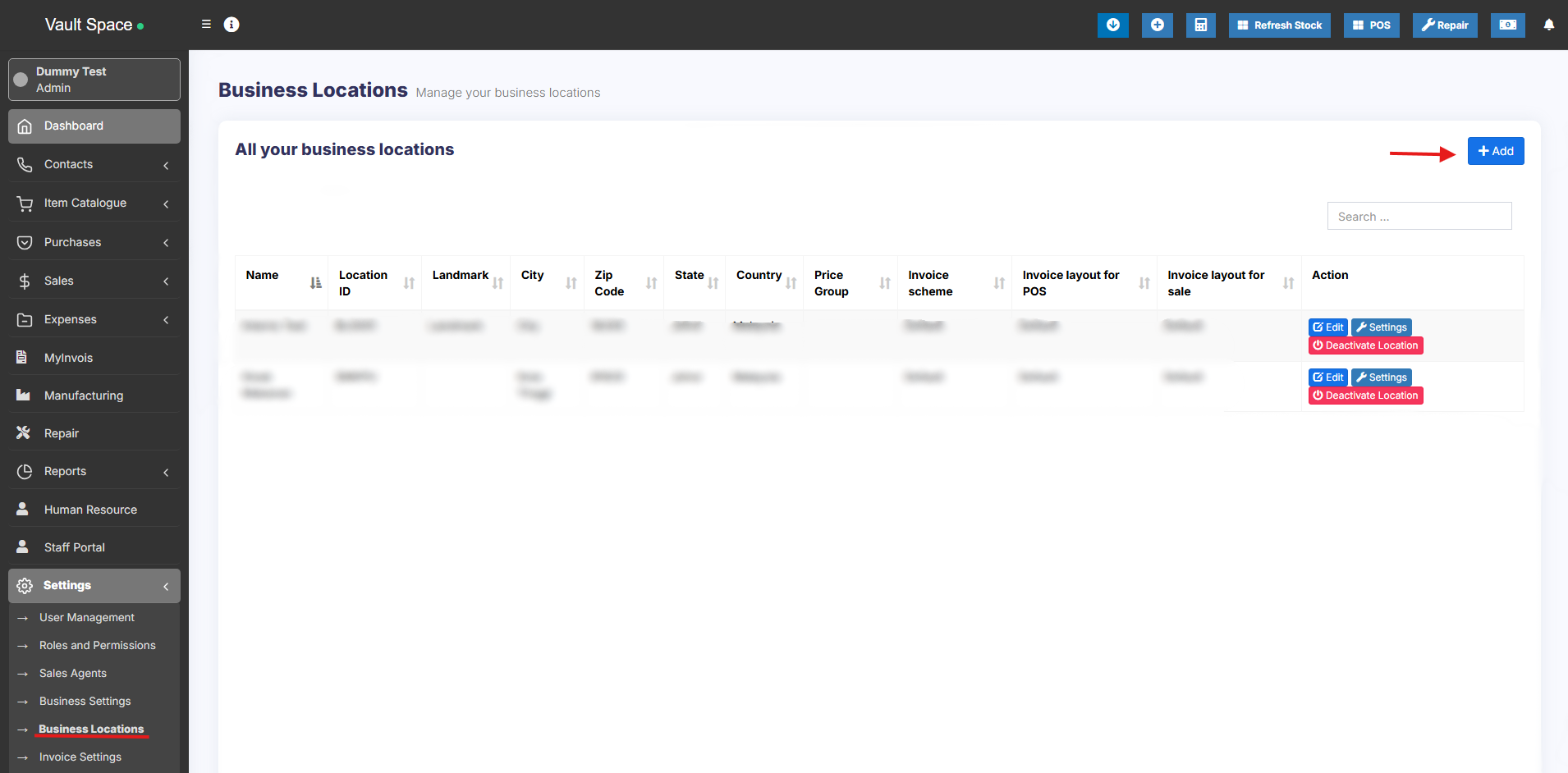
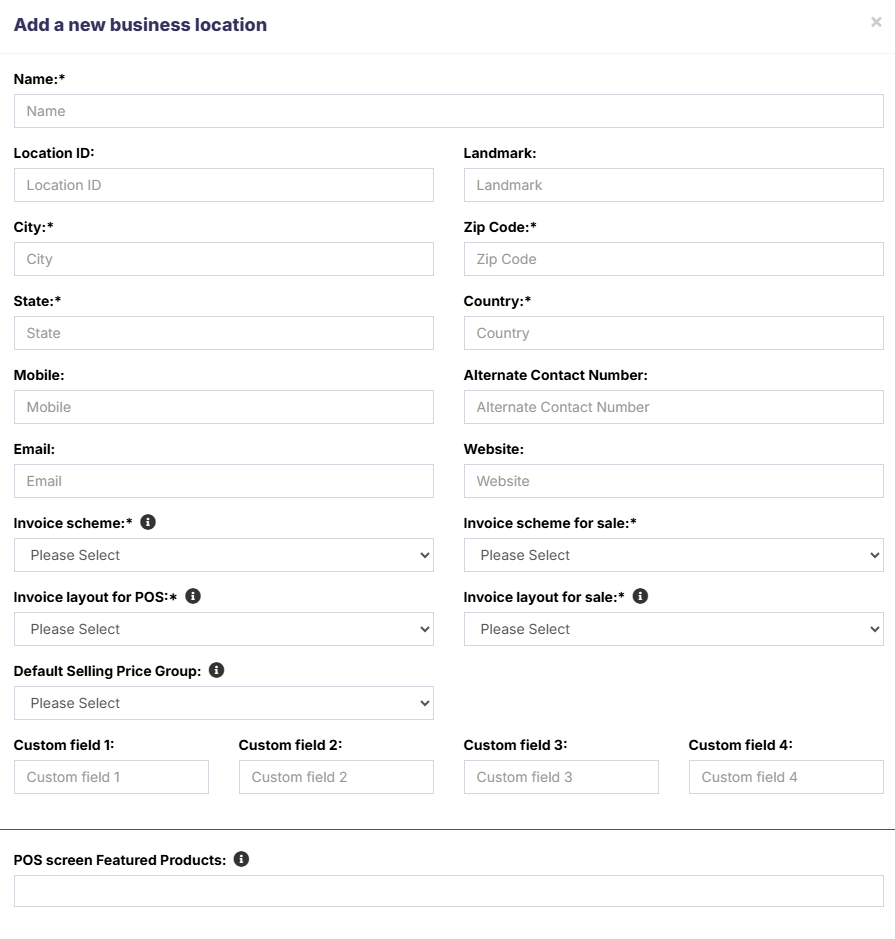

When having multiple locations you will have to select the Location while adding purchases or in the pos screen.
- Inventory and transactions are managed separately for each location you create so that you can easily track and analyze them for each location.
Disabling Business Location:

To disable a business location click on Disable button present in List Business Location.
- After a business location is disabled any users assigned to that business location must be assigned to other non-disabled business location. 1 business location non-disabled. If all business location is disabled then the application will throw errors.
- You must keep at least 1 business location non-disabled. If all business location is disabled then the application will throw errors.